TABLE OF CONTENTS
Reviewing Past Results
After starting a practice, you will see your last entered results for each exercise. All session results can be found in your Calendar, though. If you want to view ALL your past results for a specific practice, skip to that section.
- Select Calendar from the Dashboard or main menu.
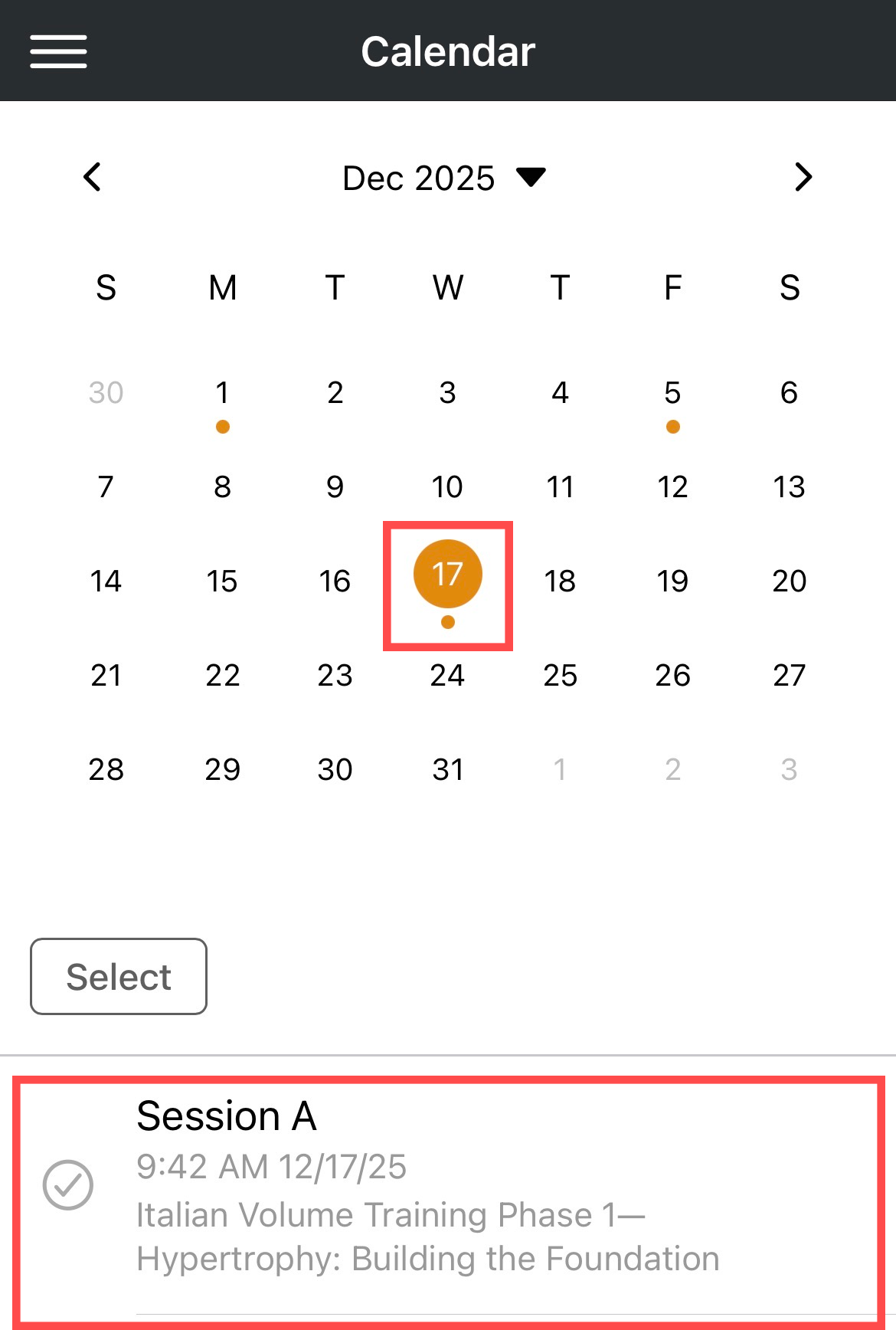
- Select a date. A dot will be shown below each date where a practice has either been scheduled or completed.
- Tap the practice session.
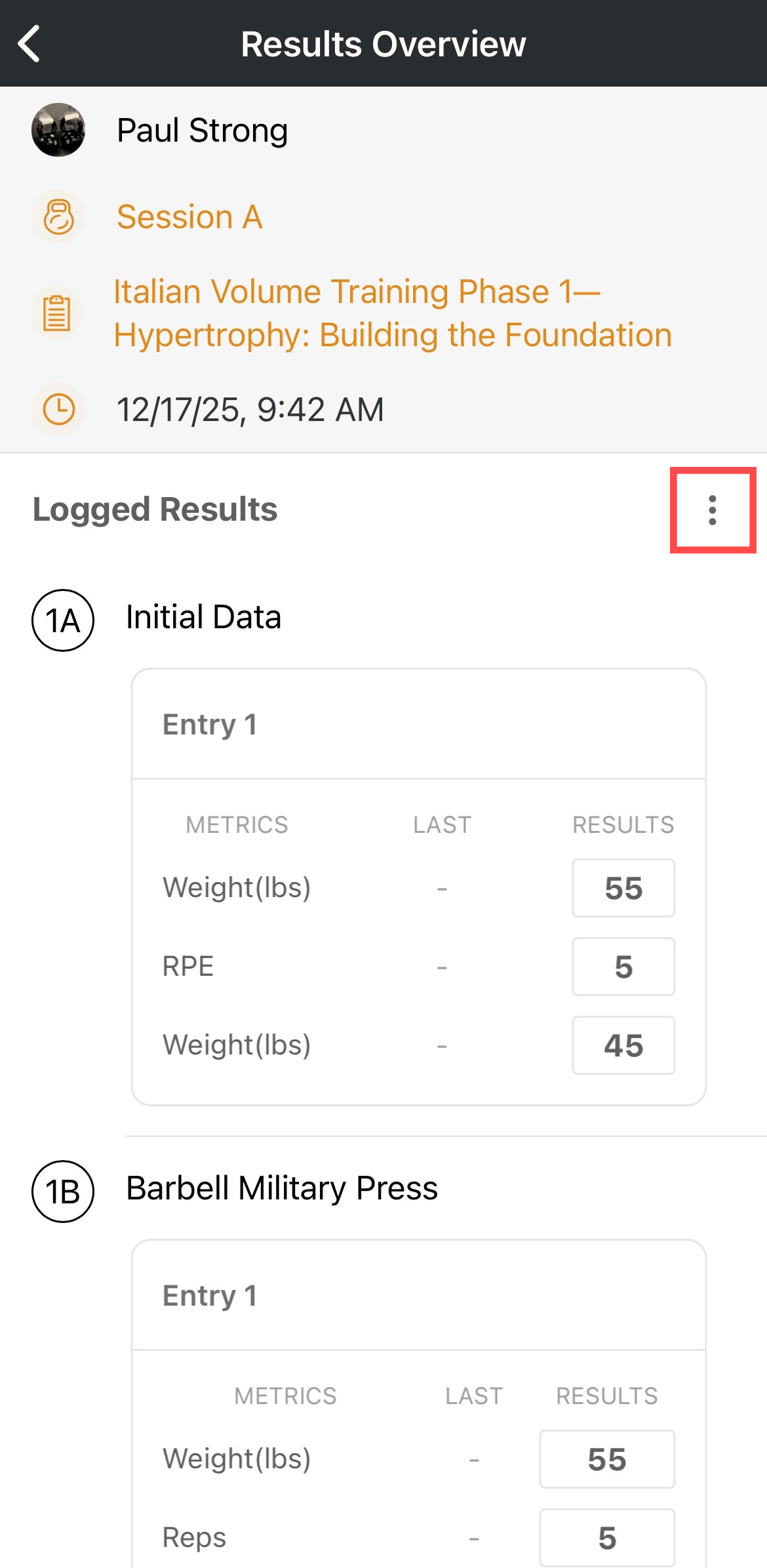
- You will be taken to the Results Overview, where you can review your session's results.
- Use the kabob to Edit the results or Delete the event entirely.
Viewing All Past Results for a Specific Practice
- Tap Training Library from the Dashboard.
- Find and select the practice you want to view all results for.
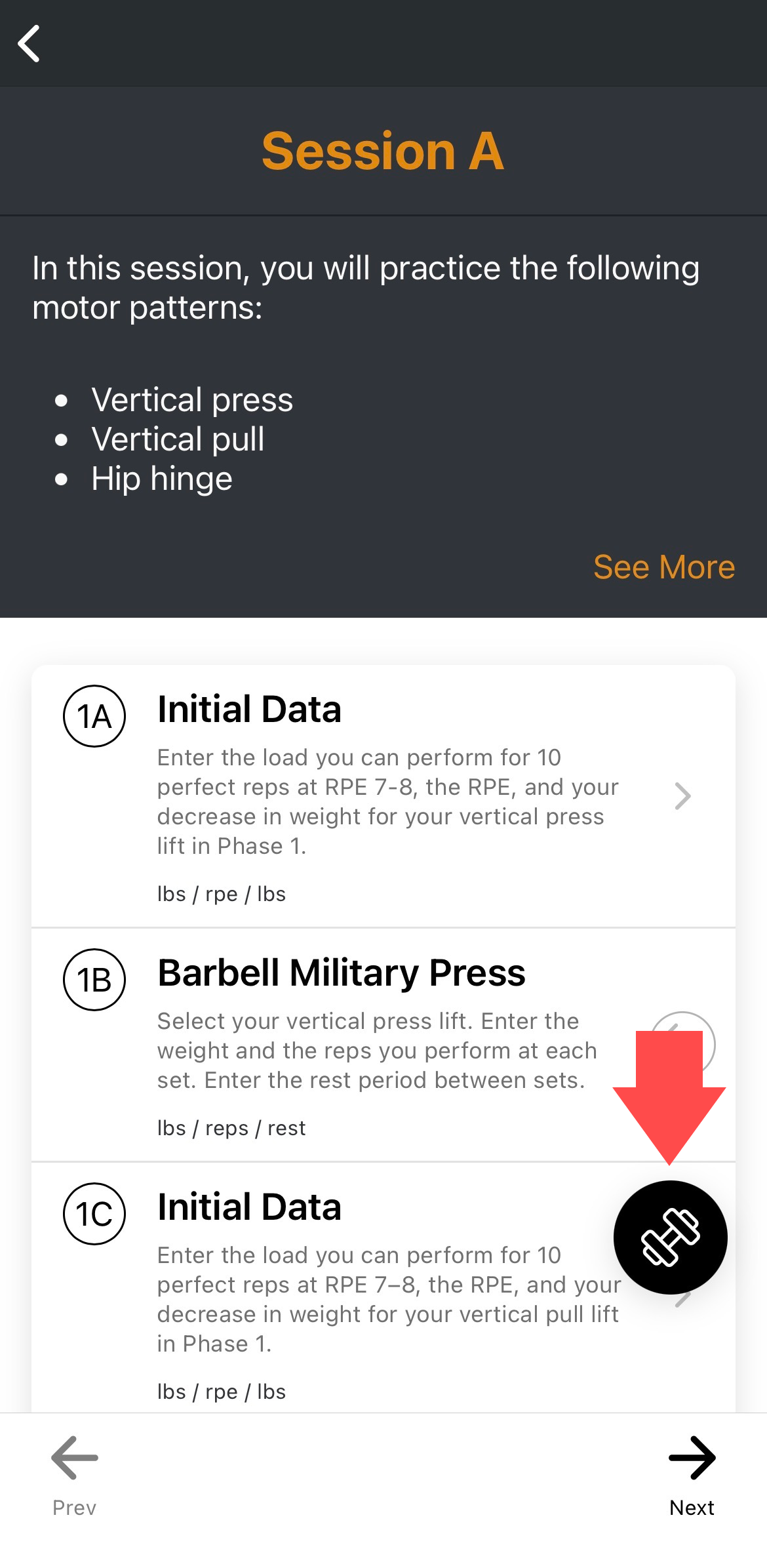
- Tap the barbell button in the lower right corner of the practice overview.
- Select View History from the menu that appears.
- Results are listed from most recent to oldest.
- Tap the caret icon to expand or collapse a set of results.