Subscription cancellations must be requested BEFORE the date of the next payment.Cancelling an App Store or Google Play Subscription
This method only applies if you subscribed on the iOS or Android app. If so, you must cancel through subscription management on your phone. Refunds should also be requested directly from Apple or Google.If you subscribed through an internet browser, follow the browser instructions below.
Cancelling a Web Subscription
This method applies ONLY if you created your subscription through a browser, and NOT the mobile app.
Start by signing in to app.strongfirst.com in a mobile browser.
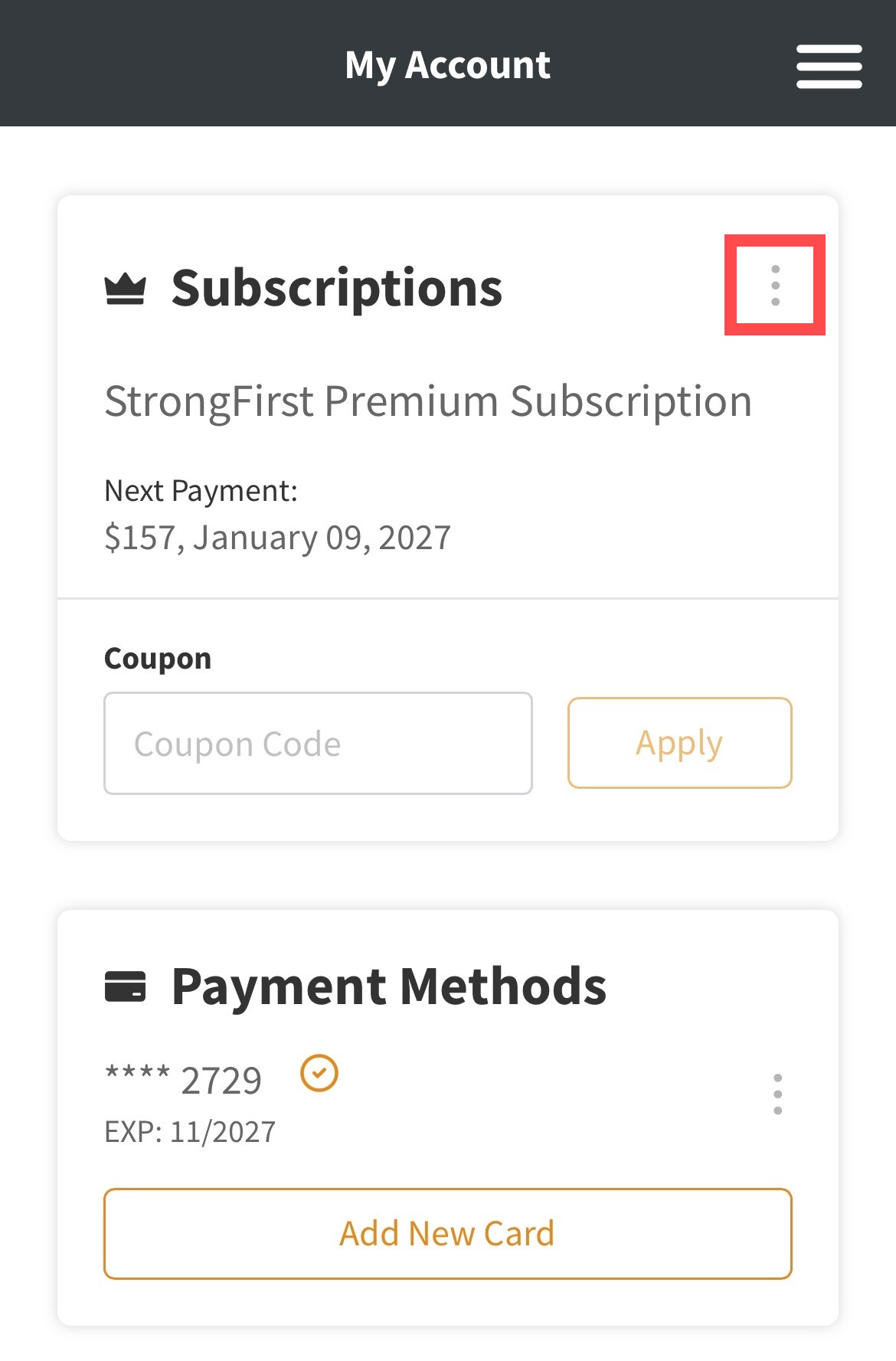
- Tap the kabob (vertical ellipsis) icon to the right of your active subscription
- Select Cancel from the menu
- Confirm your choice
- Your subscription will be canceled, and you will have premium access until the date your subscription expires
If you subscribed through the mobile app, you must cancel using the first set of instructions in this article, through subscription management on your Apple or Android device.